This guide demonstrates that the learning curve for RankAnvil isn’t steep at all. In fact, if you follow this guide, which simulates part of a typical day in the life of an SEO you will be up and running in less than 20 minutes! Give it a go, we promise you won’t regret it.
The Mission: Steal Back Stolen Traffic
A business owner knows that their main competitor is taking a lot of business and customers. Your mission, should you choose to accept it, is to find out exactly what the competitor is doing, and then use your findings to start taking a large percentage of those customers for your client.
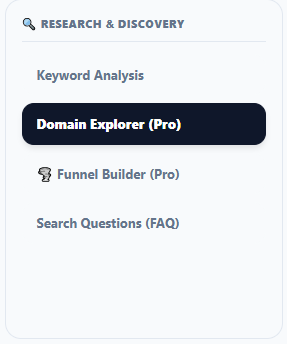
The first thing we are going to do is a Traffic Gap analysis. You will find this tool by looking at the RankAnvil Control Center. In the first panel on the left named "🔍 Research & Discovery", click on Domain Explorer, and scroll down slightly so you see the Domain Explorer window.
At the bottom of the Domain Explorer window, just underneath the country selector, you will see a row of five buttons.

Click on the Traffic Gap button. In the Domain Explorer window, you will now see several input fields:
- Target Domain (URL): Enter your (or your client's) URL.
- Competitor (Optional): Enter the competitor’s URL directly opposite.
- Target City (Optional): Enter the name of the town or city where the client and competitor are operating. As you type in a location (e.g., Sheffield), it will automatically populate it for you.
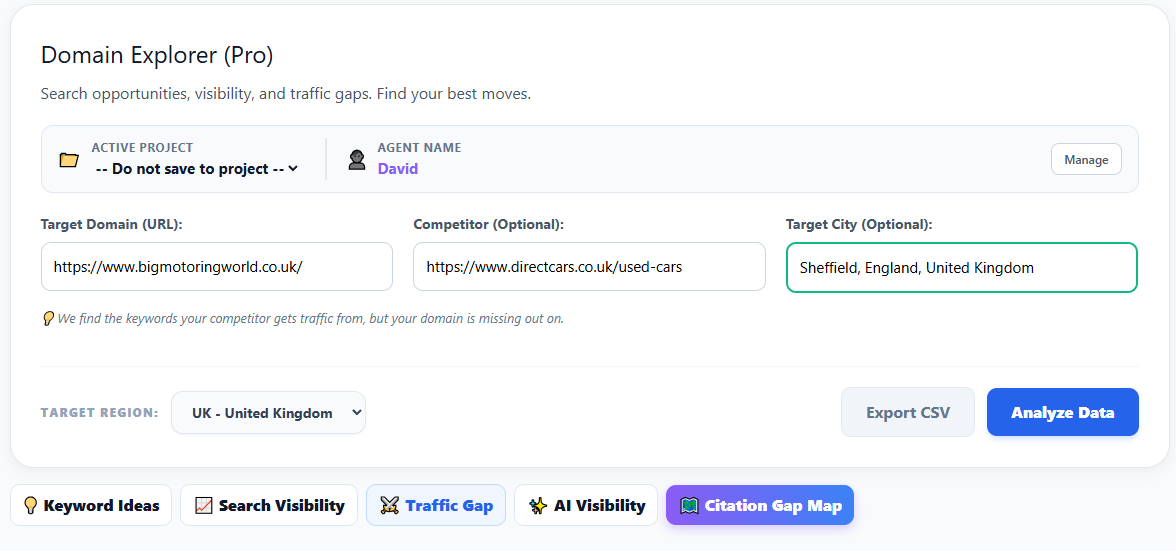
With our domain, the competitor’s domain, and the location all in place, click the blue Analyze Data button at the bottom right of the window. The Traffic Gap results will appear in 15-20 seconds.
Analyzing the Gap
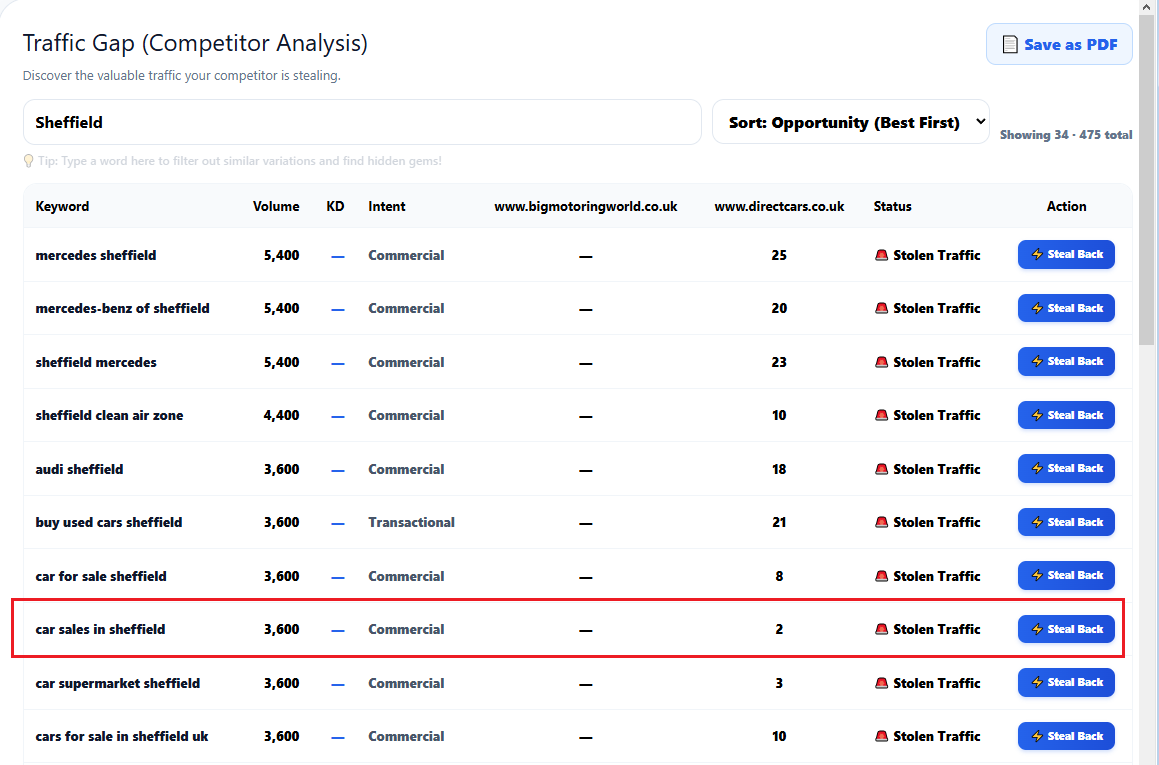
In the example above, you can notice three critical things:
- The Stolen Traffic: We can see that the client’s competitor is ranking at position 2 in the Google SERPs for the highly valuable keyword "car sales in sheffield", while our client isn’t even ranking in the top 100 (denoted by the dash).
- Hyper-Local Filtering: Because our client’s primary business location is Sheffield, we are using the search filter at the top left to only show results containing the word "Sheffield".
- The Opportunity Volume: Looking at the top right side, we uncovered 475 stolen keywords in total. We are always interested in Top 10 results, so in this case, we are actively going after 'car sales in sheffield'.
Unlike other tools that just dump data on you, RankAnvil gives you an actionable next step. Click the blue Steal Back ⚡ button at the end of that keyword's row. The active screen will instantly change over to the Marketing Advisor.
Your AI Chief Marketing Officer
The Marketing Advisor is your CMO, a meticulously trained AI that creates a custom action plan to start "stealing" that exact keyword back over to your client’s side.
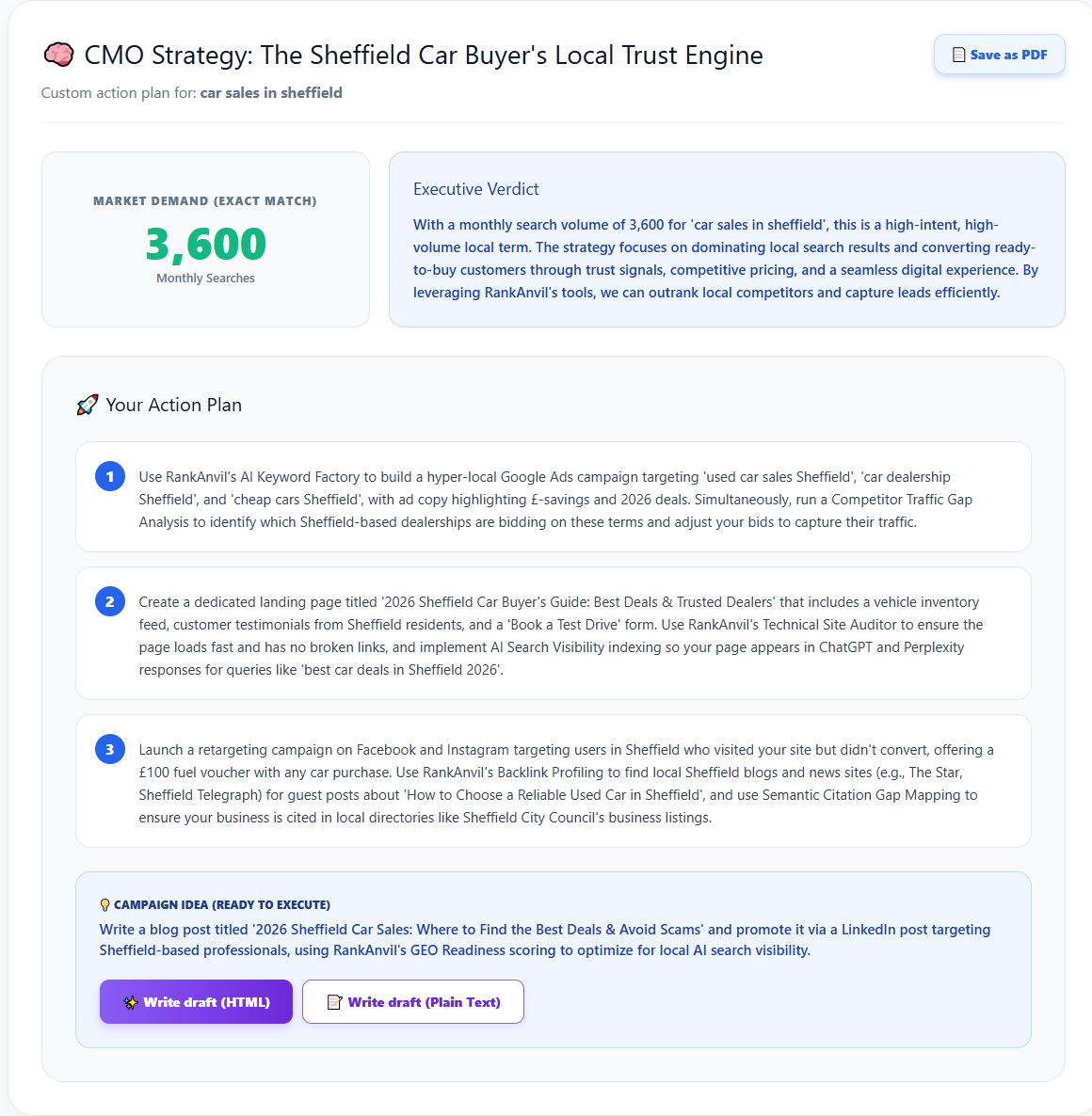
The CMO checks the average monthly search volume for the keyword (pulling live data from Google), then formulates the most straightforward plan to capture that traffic. Notice the "Save as PDF" button in the top right corner, you can download all reports as a PDF to present directly to your clients as white-labeled strategy documents.
As an added bonus, the Advisor gives you the option to write a draft document based on the strategy, formatted either as rich HTML or plain text. We designed the Marketing Advisor to produce content that is as close to human-written as possible. You can see a preview of the plain text draft it created below for "2026 Sheffield Car Sales: Where to Find the Best Deals & Avoid Scams".
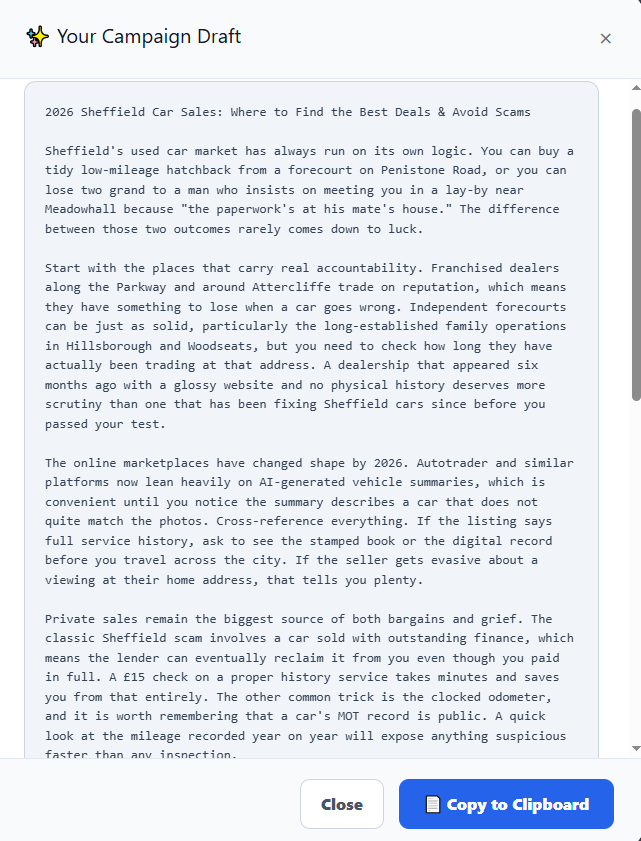
Note: The above document was generated entirely by our AI Marketing Advisor, and only half of it is visible in the preview. Always remember this is a draft for you to check over and optionally add your personal touch.
Executing the Strategy
In the Action plan, the first suggestion is often to use RankAnvil’s Keyword Factory. The Keyword Factory can automatically generate a Google Ads campaign complete with matching Ad-groups in less than 30 seconds. All you need to do is give it a brief description of the business.
When creating the campaign, the Keyword Factory does not necessarily go for the highest volume (informational) keywords. Instead, it targets commercial and transactional keywords. High volume keywords have a role to play, but when creating highly targeted campaigns, you need to attract the people who are genuinely looking to buy right now so you get maximum ROI on your ad-spend.
What's Next?
There are many tools to get excited about in the Control Center. One of our personal favorites is the Funnel Builder, which automatically diagnoses TOFU/MOFU/BOFU imbalances in your sales funnel for any page to plug conversion leaks.
Pretty much anything you do in RankAnvil is easy, straightforward, and self-explanatory. We built it to have a very small learning curve, but being simple to use doesn’t equal inferior results. RankAnvil is interconnected with Google, DataForSEO, Moz, Serper, and other industry giants so you always get the most accurate data possible.
RankAnvil is in a continuous state of development, all dedicated to giving you an easier working day and the best results. Welcome aboard.