🛡️ Verified Rank Tracker
Track organic Google rankings by country or city, understand which URL actually ranks, examine real SERP results and revisit time-stamped snapshots in My Reports.
Set up a verified ranking check
Open Verified Rank Tracker in the Control Center. Enter the domain you want to track, then add your target keywords (up to 15 in the current RankAnvil interface). Select a country and optionally a city or town. RankAnvil uses a supported Google geographic location for city-specific checks.
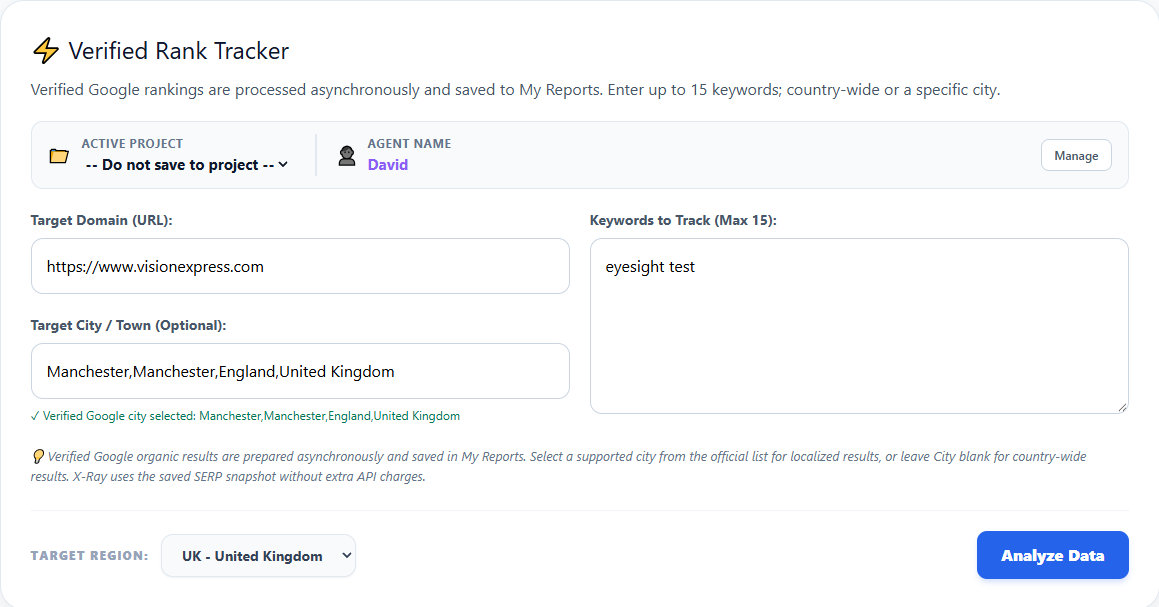
Each keyword is a separate ranking check, so review your available daily allowance before submitting multiple terms. Google rankings may vary by location, device and time.
What happens after you click Analyze Data?
RankAnvil submits verified Google organic ranking checks for asynchronous processing. A new check can show queued or processing before it is complete. You do not need to stay on this screen: the resulting snapshot is saved to My Reports.
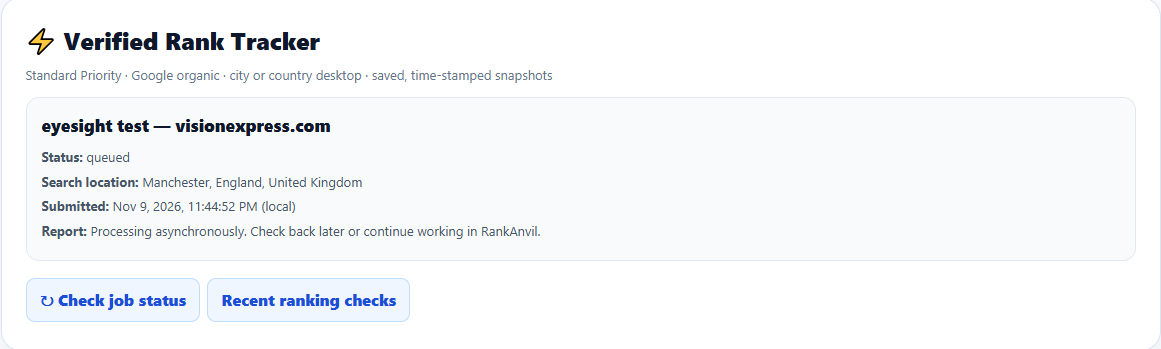
Use Check job status to retrieve updated progress. This is not the same as submitting another billable search.
Understand your verified ranking
Once processing finishes, the status card displays the verified organic position, the captured search location, timestamps, the number of organic positions examined, and the page URL that ranked.
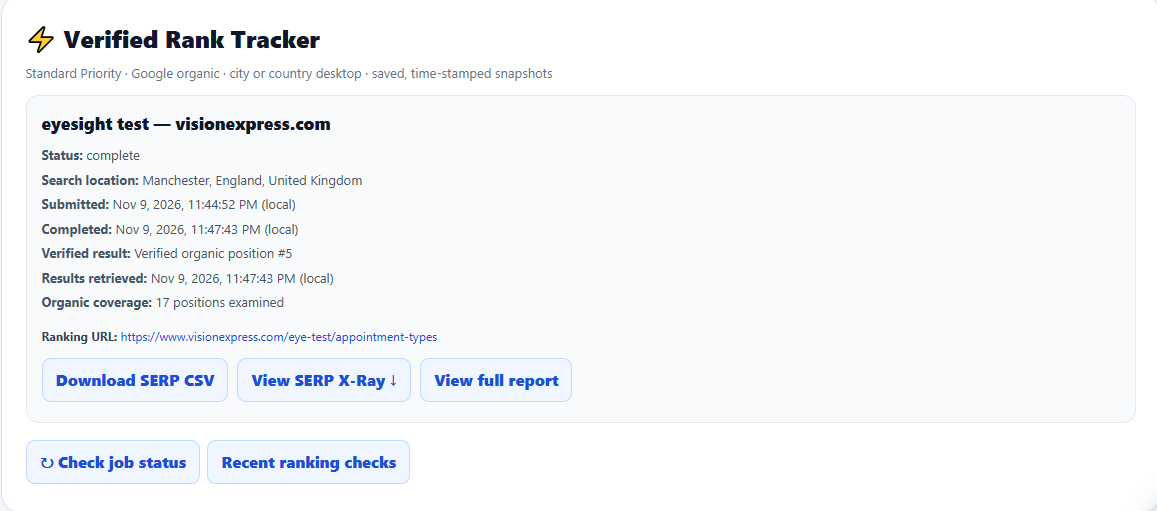
Open the complete, time-stamped report
Choose View full report to inspect your saved result in more detail. The report includes submission and completion times, location, device, organic coverage, the result's verification status and its ranking URL when one was found.
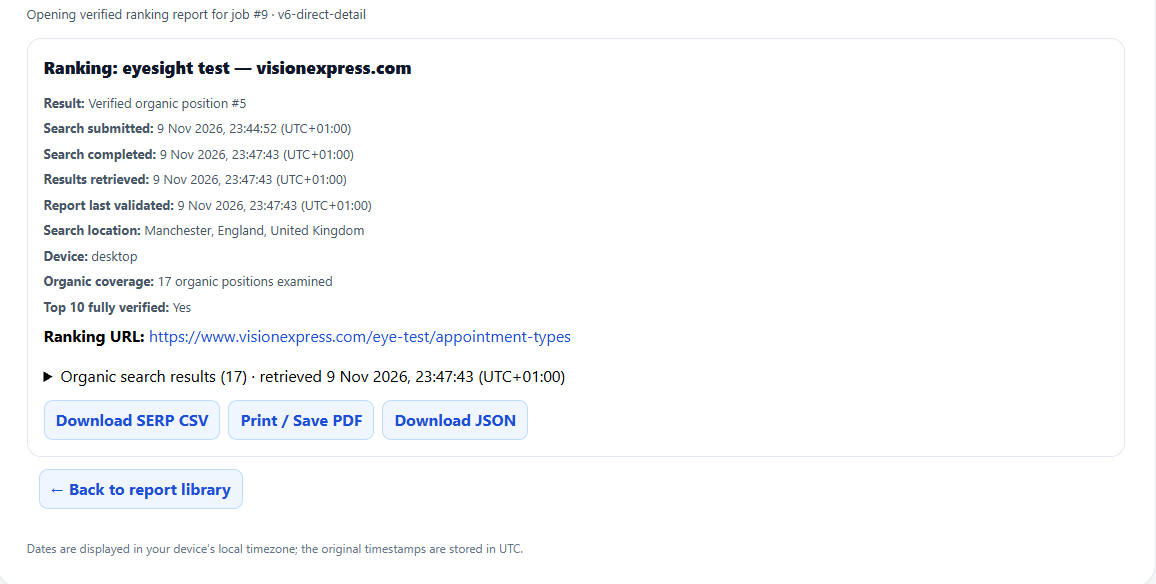
Dates are displayed in the viewer’s local timezone, while the original timestamps are retained in UTC. Export options let you download the SERP data or save a client-friendly PDF.
Explore competing pages with SERP X-Ray
Expand Organic search results or choose View SERP X-Ray to see the captured organic listings: page titles, domains, ranking URLs, organic order and overall SERP positions.
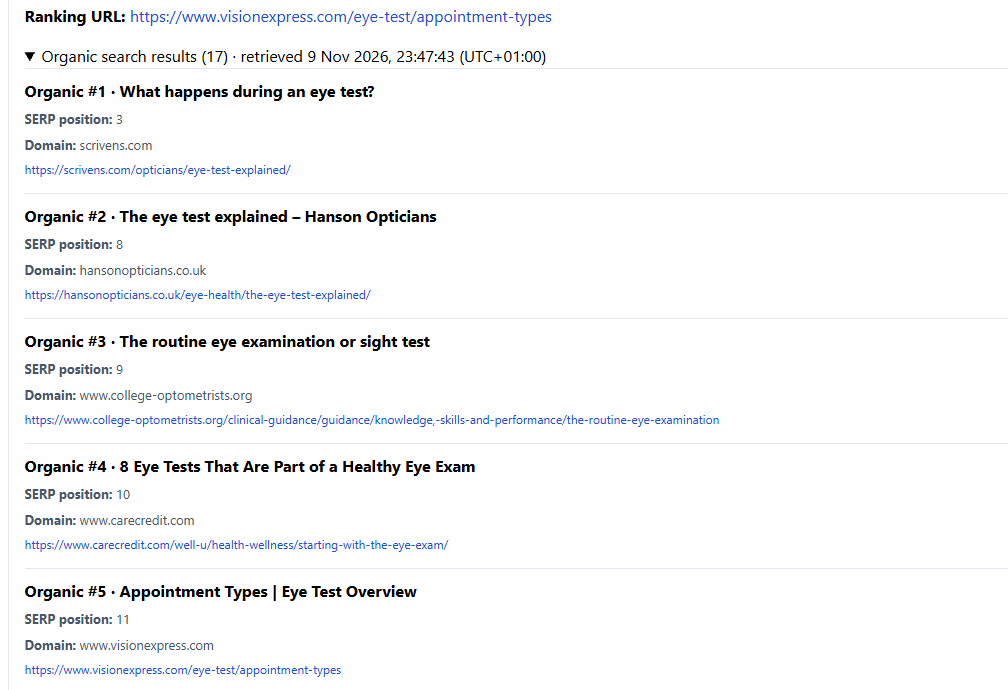
The listing’s order among the ordinary organic search results. This is the main SEO ranking number.
The provider’s absolute ordering of search-result elements, which can include non-organic features. It is not a pixel or scroll-distance measurement.
The organic snapshot does not necessarily identify what every intervening non-organic element was. Reopening saved X-Ray results uses the existing snapshot rather than ordering a new Google search.
Return to your work in My Reports
Open My Reports from the top navigation or Control Center to revisit completed ranking checks. Search for a domain or keyword, sort your library, and manage reports using Active, Archived and Trash. The library is private to your account.
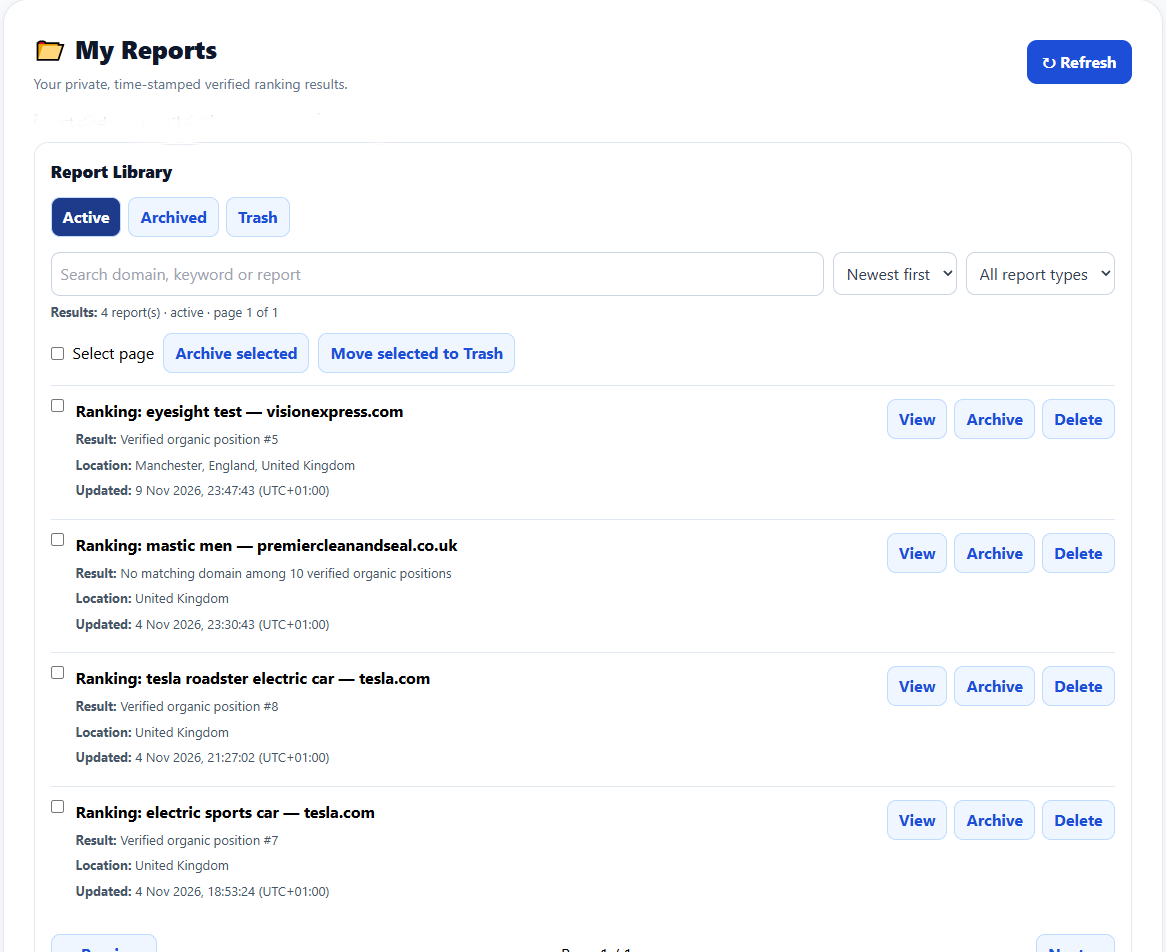
Opening, archiving, restoring or exporting an existing report is not a new ranking submission. Report snapshots represent the search conditions and time at which they were collected.
Quick reference
Verified Rank Tracker produces a recorded view of organic search results for the selected location and device. Results can change later; a saved report does not promise a permanent ranking. Always read the stated organic coverage before drawing conclusions about absence from search results.
Return to RankAnvil