RankAnvil Pro
Hyper-Local & Market Intelligence

📈 Keyword Analysis & Trends

Evaluate exact local search demand, seasonal purchasing cycles, and live page 1 competitors.

📍 Step 1: Set Target City & Region

National keywords don't tell the whole story. By defining a specific town or city, RankAnvil pinpoints search queries to that precise geographic market. Start typing any city or district. Our built-in geocoder automatically validates the location with a green outline to validate the location.
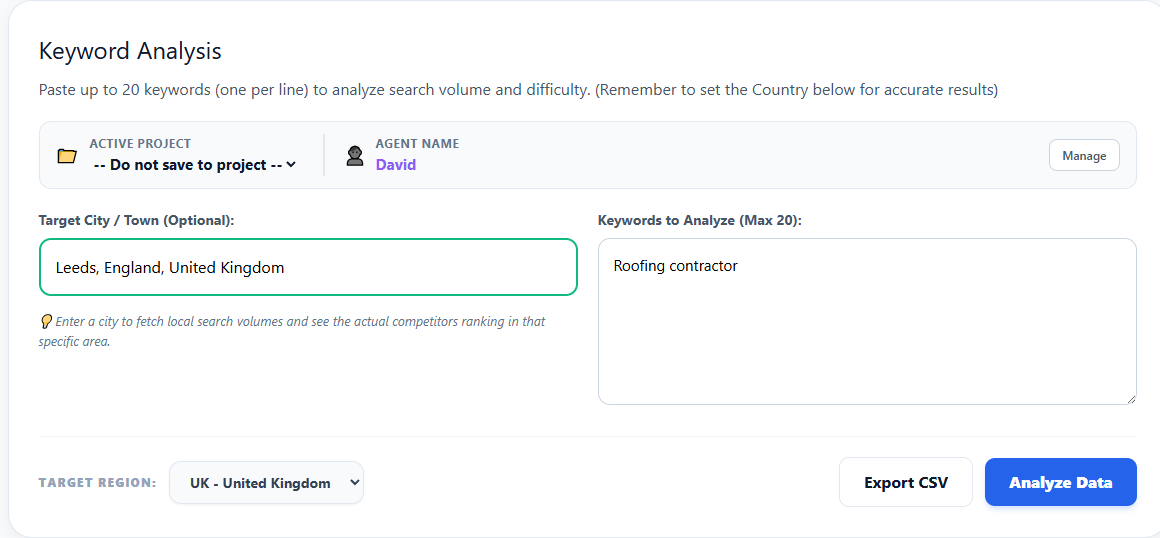
Target City and Keyword Input Field in RankAnvil
📍 Target City / Town (Optional) Type your target service area (e.g. Leeds, Austin, or Bergen). The field automatically normalizes the geographic string to pull localized SERPs (Search Engine Results Pages).
🌍 Target Region Selection Always confirm the country dropdown matches your target market (UK, US, Canada or Australia) to keep keyword volume data accurate.

📊 Step 2: Analyze Local Competitors & Demand

Once analyzed, RankAnvil produces a complete intelligence card for each keyword. You receive live seasonal search curves, keyword difficulty ratings, and a verified snapshot of the top 5 competitors actively ranking in your designated city.
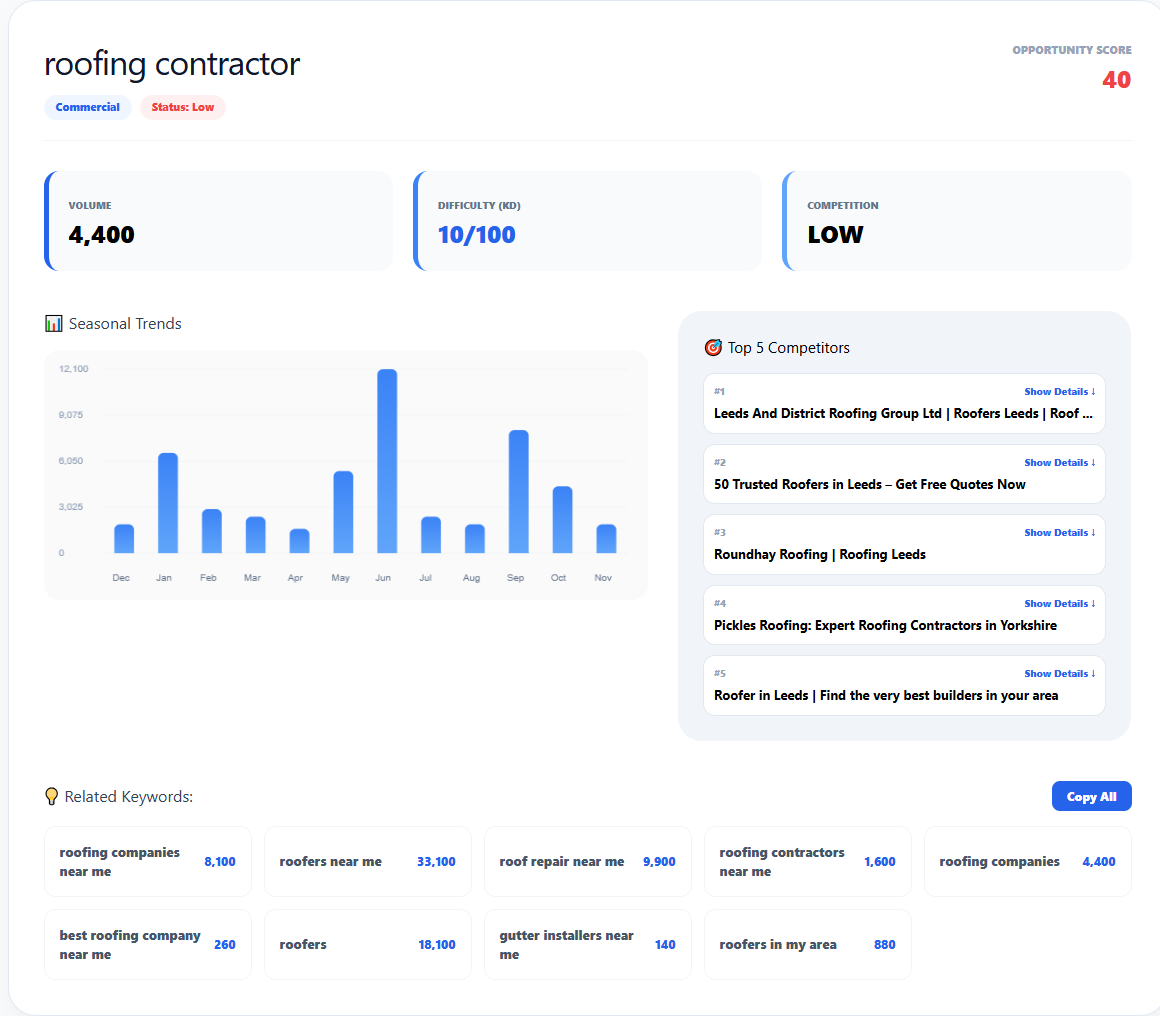
Keyword Analysis Local Results and Competitor Snapshot
📈 Search Volume Estimated monthly search volume, reflecting how frequently users look for this solution.
🧩 Keyword Difficulty (KD) A 0–100 score estimating how tough it is to break onto page 1 against existing domain authority.
🍀 Opportunity Score Balances volume against ranking difficulty to quickly spot low-hanging fruit and fast wins.
🏆 Top 5 Local Competitors Pulls actual ranking pages and Google Map Pack entries for that town, revealing who you must beat.
💡

Local SEO Tip: Use the Related Keywords section at the bottom of each result card to uncover high-intent long-tail phrases (such as "roof repair near me" or "emergency roofer") to build local landing pages with high conversion rates.