🔗 Link Profile Analysis
See who links to any domain, measure backlink authority, and track how the link profile is changing over time.
What this tool does
RankAnvil's Link Profile tool combines authority metrics with live backlink discovery and 30-day movement data. Instead of showing you one static list of links, it helps you see the current strength of a domain, where new links are appearing, which links have been lost, and whether the overall backlink profile is moving forwards or backwards.
Use it on your own site to monitor authority growth, or run the same analysis on competitors to uncover link sources, partnership opportunities and changes in their off-page SEO strategy.
🔍 1. Analyse any domain
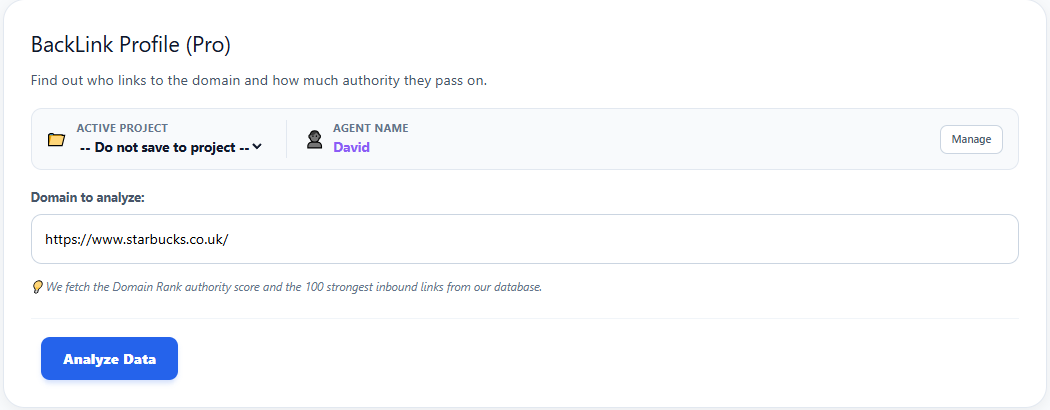
Enter the domain you want to investigate and click Analyze Data. You can analyse your own website, a client's site or a competitor. RankAnvil then retrieves the current link profile and builds the report automatically.
📊 2. Read the headline link metrics
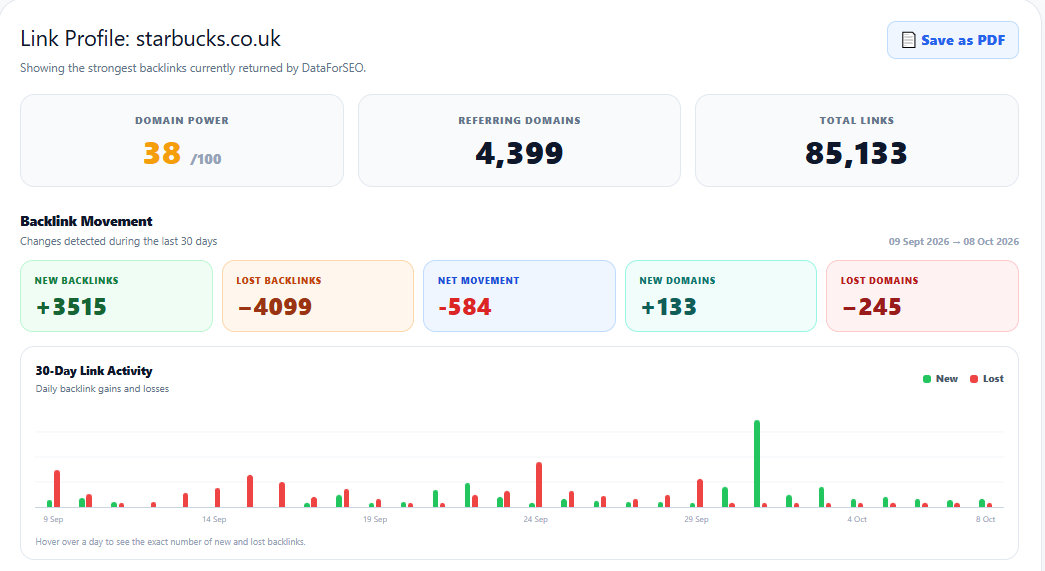
The top of the report gives you an immediate snapshot of the domain's current backlink strength. Three headline metrics show overall authority, the number of unique referring domains and the total backlink count.
📈 3. Track 30-day backlink movement
The Backlink Movement panel turns the report from a static snapshot into a monitoring tool. It compares gains and losses detected during the last 30 days so you can see whether the domain is building authority, losing links or simply experiencing normal churn.
📅 4. Use the 30-day activity chart
The activity chart plots backlink gains and losses day by day. This makes it easier to distinguish steady organic growth from sudden bursts, large-scale link loss or short-lived spikes.
Hover over a day in the live report to see the exact number of new and lost backlinks recorded for that date.
🧭 5. Investigate the backlink views
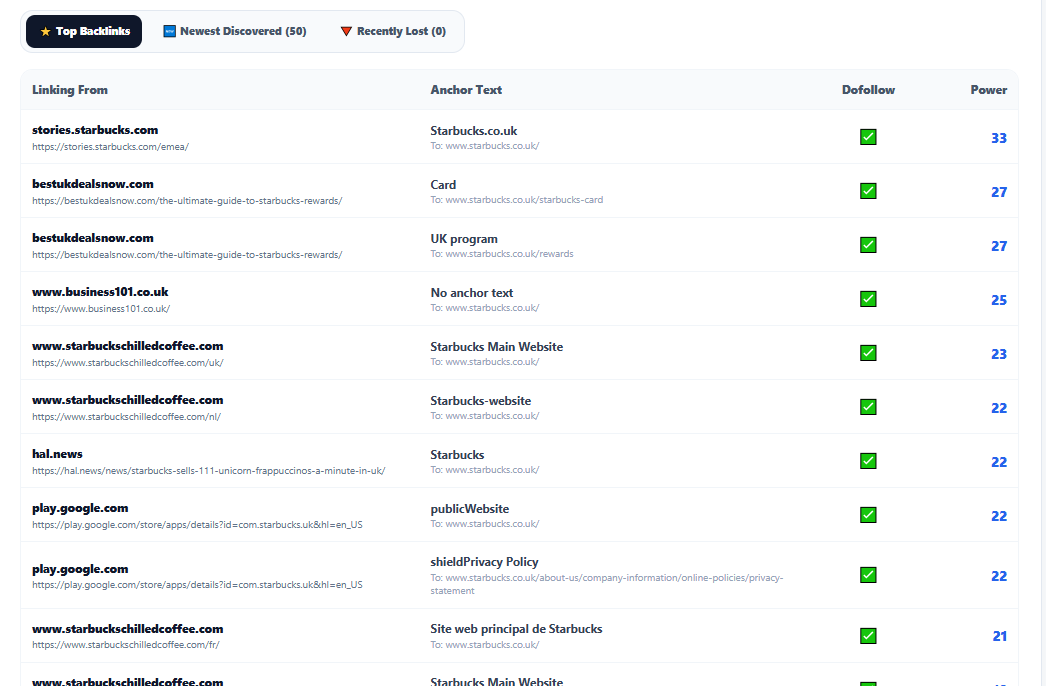
Use the three tabs beneath the movement report to switch between link quality, fresh discoveries and backlink losses. This lets you move from the high-level trend into the individual links behind it.
🔬 6. Read the backlink detail table
Each row gives you the source domain, source URL, anchor text, target URL and link-level strength information. Together these fields help you judge whether a backlink is relevant, useful and worth investigating further.
⚔️ 7. Turn competitor backlinks into opportunities
The most useful backlink analysis is often comparative. Run the tool on competitors that consistently outrank you and look for patterns in where their authority comes from.
📄 8. Save the report as a PDF
Use Save as PDF at the top of the report to create a client-ready snapshot of the current link profile. This is useful for audits, competitor reviews, campaign reporting and keeping a record of movement over time.
A useful way to interpret the report
Do not judge a backlink profile from one number alone. A healthy profile is better understood by combining authority, referring-domain breadth, link quality and movement over time.
Use RankAnvil to move from “How many backlinks do they have?” to “Where is their authority coming from, what is changing, and what can we act on?”