AI Visibility & Monitoring
The AI Visibility and monitoring tool, found inside the Domain Explorer interface, shows where a website appears in Google AI Mode, Google AI Overview and ChatGPT Search — and where it does not.
What this tool does
RankAnvil checks the same small set of prompts across Google AI Mode, Google AI Overviews and ChatGPT Search. Each AI system is shown separately, because a website can perform very differently from one system to another.
The idea is simple: find the gaps, understand them, fix them, then check again later. If a prompt is missing a citation, you can send it straight into Citation Gap Map to see which topics may be missing from the page and what to improve next.
✨ 1. Open AI Visibility inside Domain Explorer
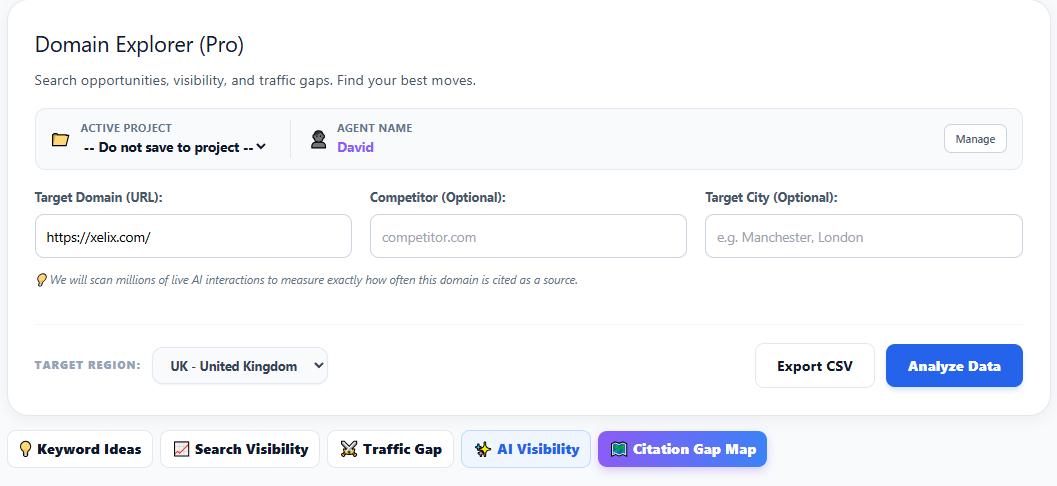
Open Domain Explorer and select the AI Visibility tab. Enter the target domain, optionally choose the target region and click Analyze Data. The competitor field is optional and is not required for the engine-specific monitoring report.
RankAnvil keeps each website, market and language combination as its own tracking profile. That means future checks use the same setup, so you are comparing like with like instead of starting a completely different test each time.
🔮 2. Google AI Mode visibility and automatic monitoring
Google AI Mode is checked against the saved RankAnvil prompt set. The four headline cards show how many of those prompts mention the website, how many actually link to it as a source, and how many do not show it at all.
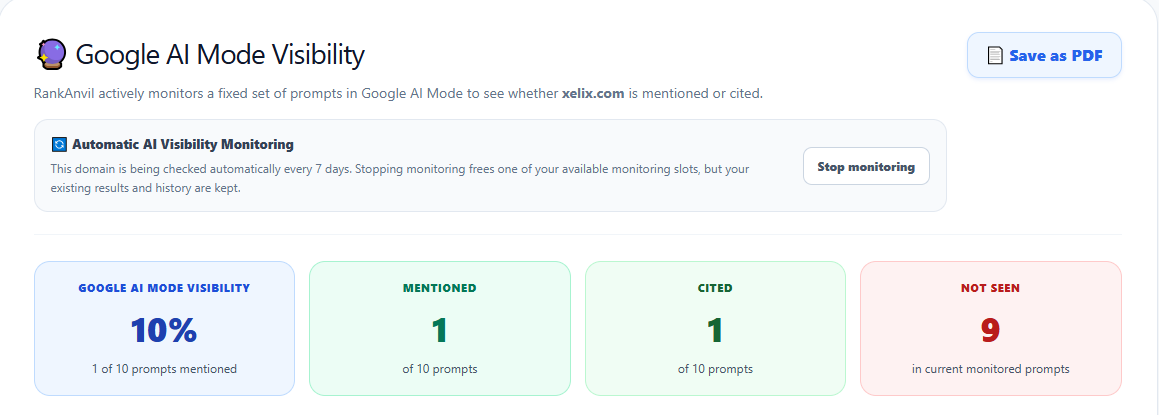
The screenshot example shows xelix.com at 10% Google AI Mode visibility: 1 of the 10 monitored prompts is mentioned and cited, while 9 are not currently seen.
🧭 3. Diagnose Google AI Mode prompt gaps
Below the headline numbers, RankAnvil shows the exact prompts being checked. A green row means the AI result includes a link to the website as a source. A red row means the website is not currently being shown for that prompt.
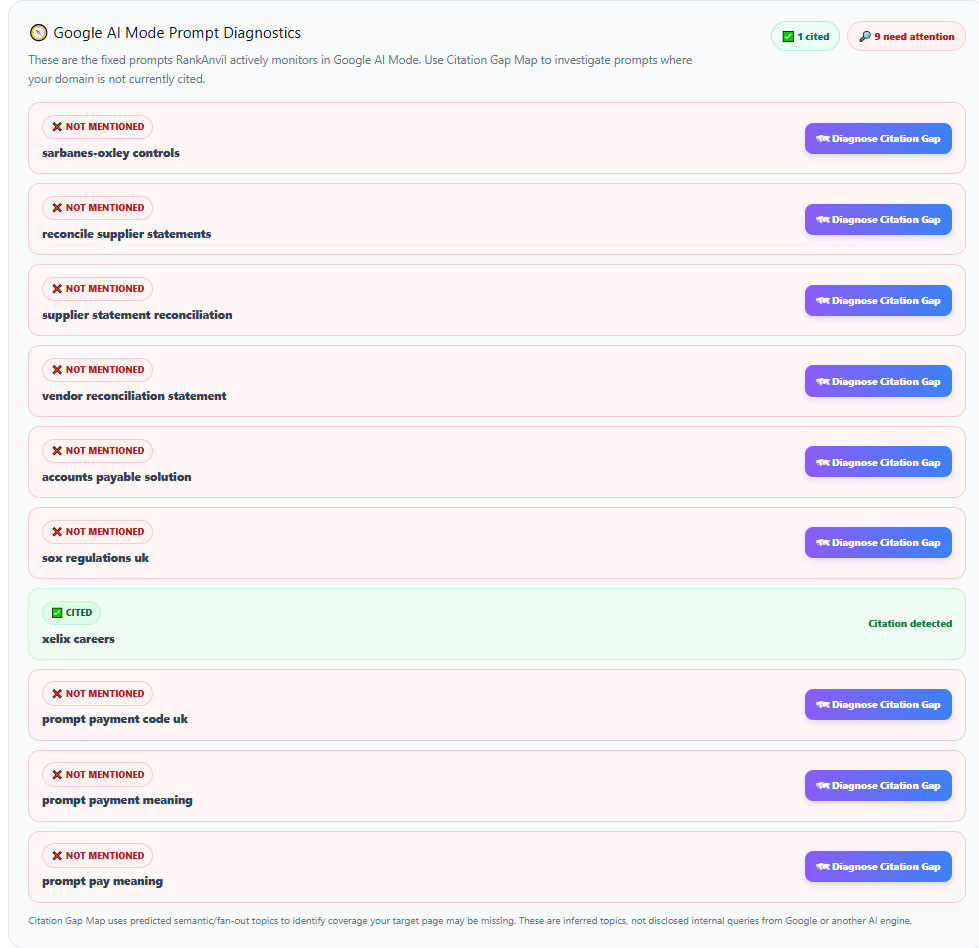
For a missing prompt, click Diagnose Citation Gap. RankAnvil passes that prompt into Citation Gap Map so you can see which related topics may be missing and whether it makes more sense to improve an existing page or create supporting content.
✨ 4. Compare the same prompts in Google AI Overview
Google AI Overviews are shown separately from Google AI Mode. RankAnvil checks the same saved prompts and looks for two simple things: does the AI answer mention the company? and does it actually link to a page on the company's website as one of its sources?
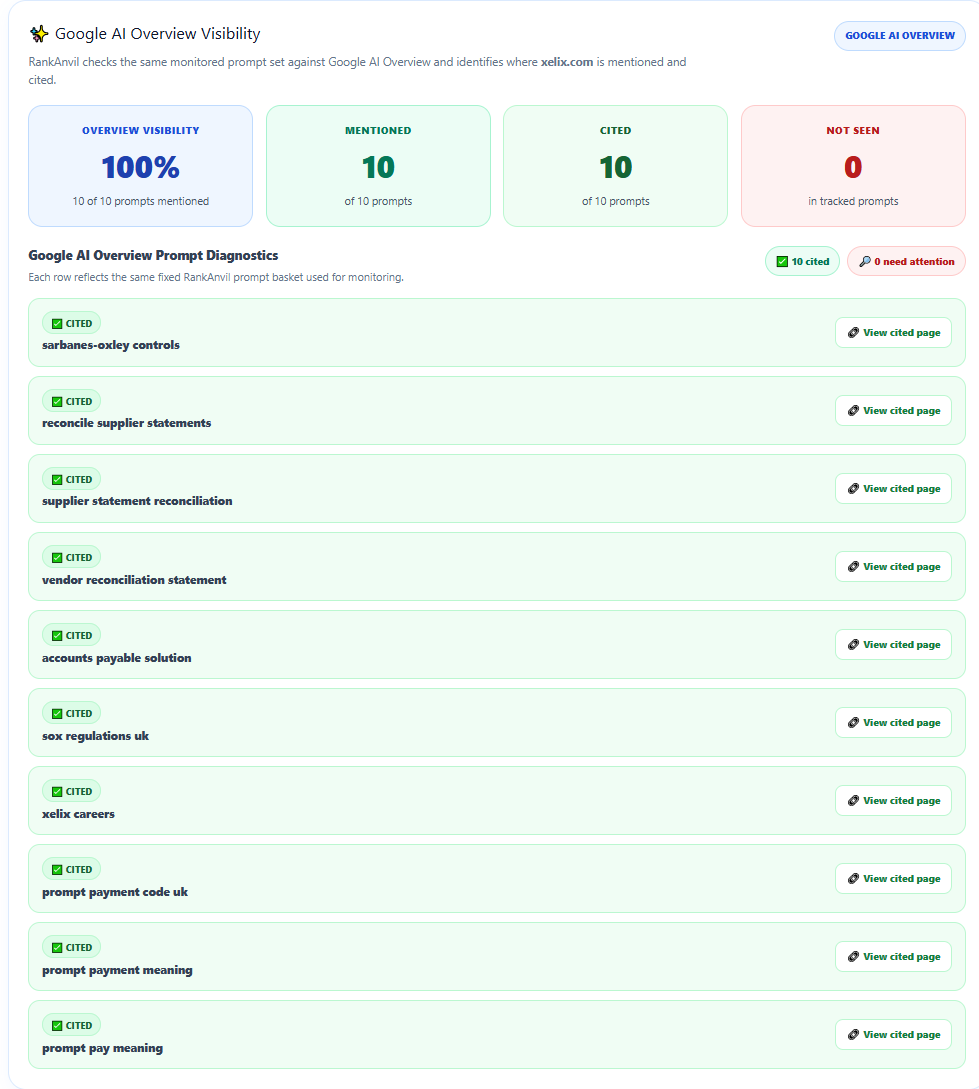
In this example, the difference is very clear: xelix.com is cited for all 10 prompts in Google AI Overviews, giving it 100% visibility for this saved prompt set, while Google AI Mode only finds it for 1 of the same 10 prompts.
💬 5. Check ChatGPT Search visibility
ChatGPT Search uses the same saved prompt set. RankAnvil checks the ChatGPT answer for the company or website name. A prompt is only marked Cited when ChatGPT also shows a link to a page on that website in its source list.
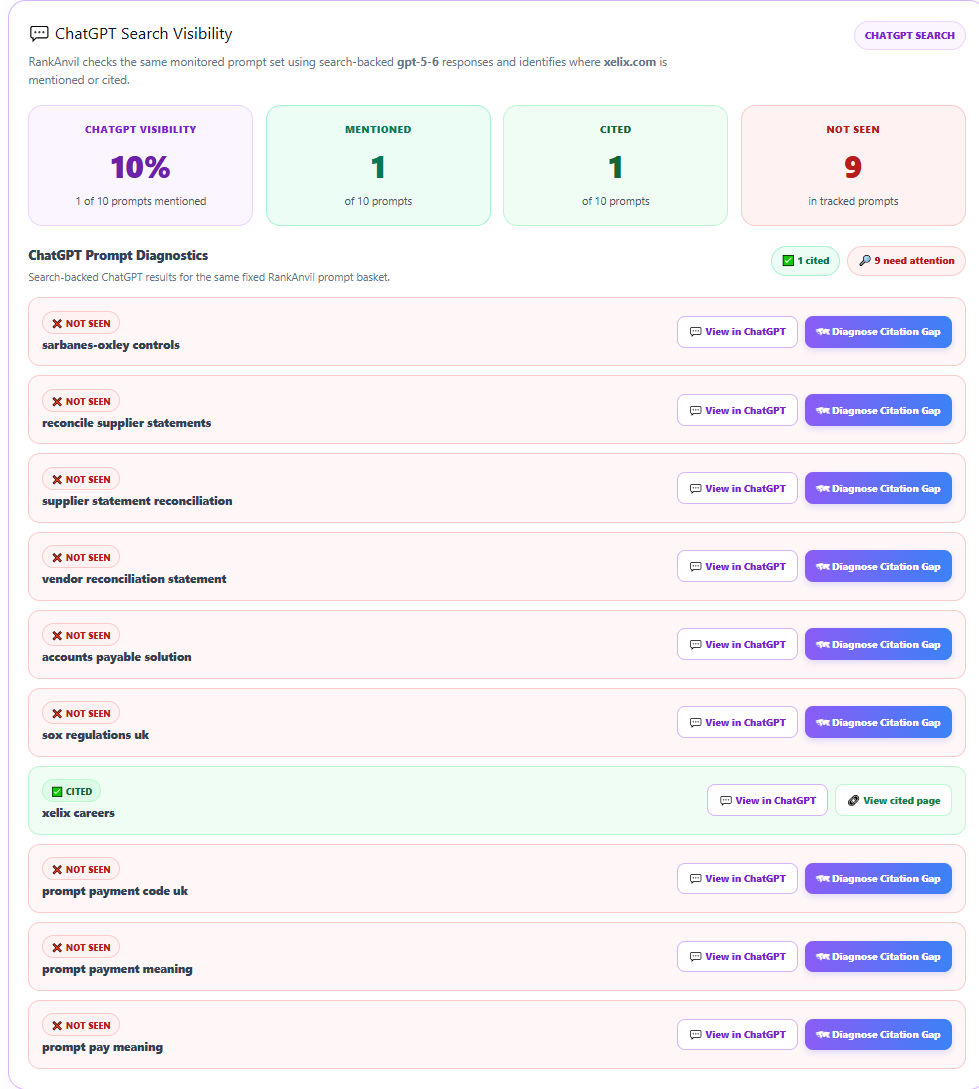
In the example above, ChatGPT cites xelix.com for xelix careers, while the other nine prompts do not show the site. View in ChatGPT opens the same prompt in ChatGPT so you can see what it says now. View cited page opens the website page that RankAnvil found in ChatGPT's sources.
🤖 6. Check crawl access and decide what to do next
The lower report panel checks robots.txt access for major AI-related crawlers and then points you toward the next step when visibility is missing.
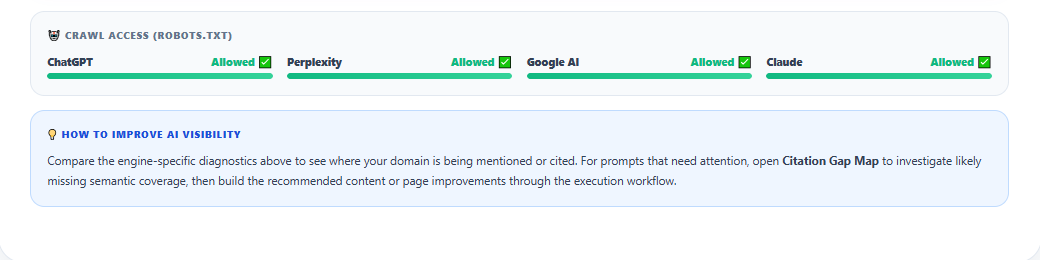
robots.txt. This is a crawlability signal, not proof that a model will cite the site.
🔄 7. Where the prompts come from and how often RankAnvil checks them
The prompts are not a random list written by RankAnvil. When a website is first analysed, RankAnvil uses DataForSEO's LLM Mentions data to find prompts already associated with that domain. It takes up to 10 of the highest-volume prompts from that first discovery and saves them as the website's monitoring set.
RankAnvil then keeps that same prompt set for the profile so later checks are easy to compare. Google AI Mode and ChatGPT results are stored between checks and are refreshed automatically every 7 days while monitoring is active. Reopening the report during that time shows the saved result instead of running the same paid checks again.